

Connectors
Connectors are how Shield360 attaches to external systems. Each connector is an atomic integration: one backend, one credential set, and a clear set of actions (test connection, validate signals, bind telemetry, browse memories, and more).
Open Connectors from the sidebar under Configuration → Connectors (/connectors). Always select the correct project and environment first — connectors belong to the project, not the organisation root.
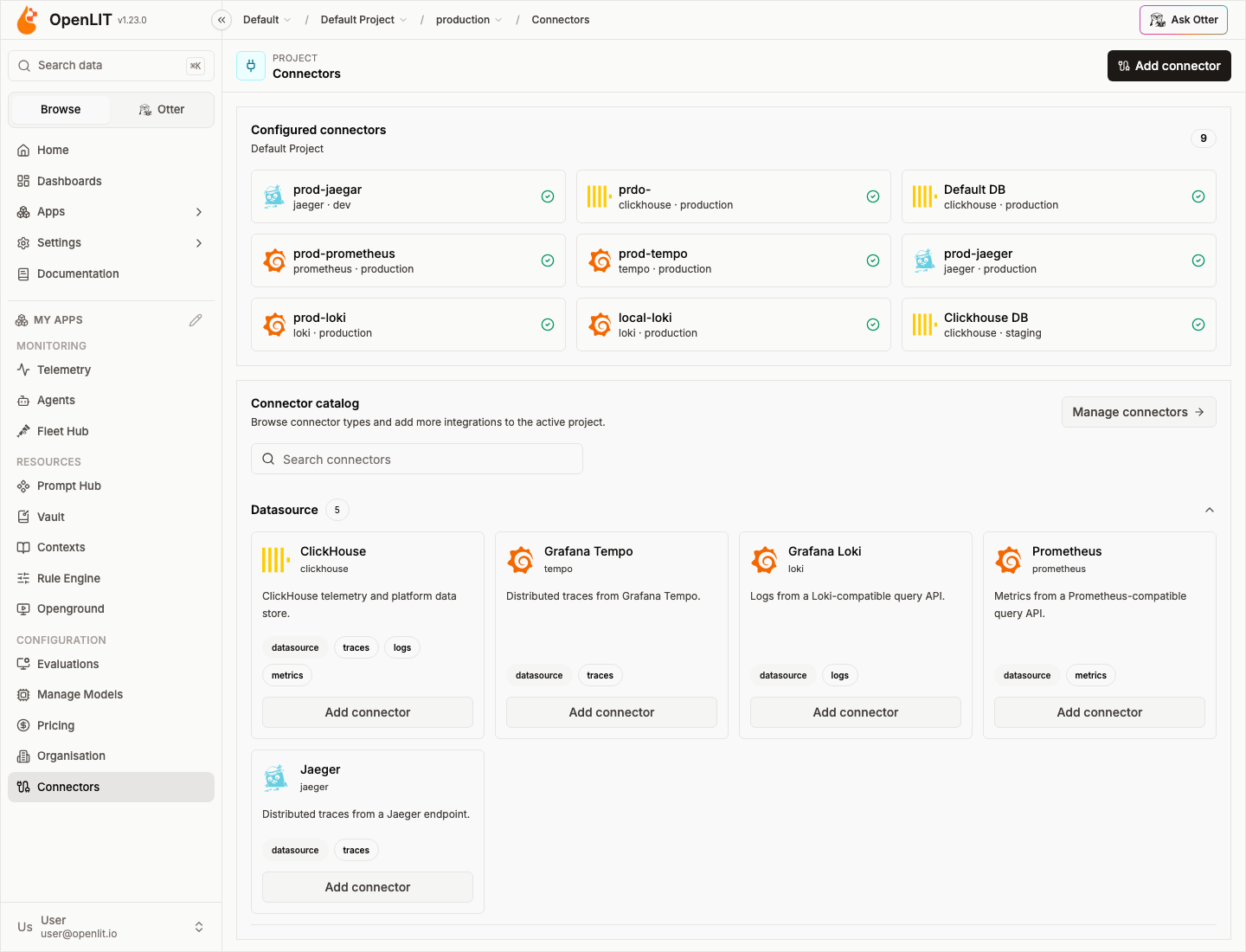
Connector categories
Section titled “Connector categories”ClickHouse, Tempo, Loki, Prometheus, and Jaeger — read traces, logs, and metrics with per-signal routing.
Memory connectorsClaude, Mem0, and Zep — browse, search, write, and copy agent memories from the Memory page and Otter.
Scanner connectorsTrustabl — scan GitHub repositories for agent SDK, MCP, and policy findings.
Mental model
Section titled “Mental model”flowchart LR subgraph org [Organisation] proj[Project] end subgraph env [Environment] bindT[traces binding] bindL[logs binding] bindM[metrics binding] mem[memory connectors] scan[scanner connectors] end proj --> env bindT --> DS1[Tempo] bindL --> DS2[Loki] bindM --> DS3[Prometheus] mem --> M1[Mem0] mem --> M2[Zep] scan --> S1[Trustabl]- Atomic connectors — one backend per connector instance. Never a multi-backend blob.
- Project scope — connectors are created on a project and partitioned by environment.
- Data-source bindings — traces, logs, and metrics bind independently. See Signal routing.
- Memory usage — memory connectors power the Memory page (
/memory) and Otter memory tools; they do not replace telemetry routing. - Scanner usage — scanner connectors power the Scanner page (
/scanner) and Otterget_scanner_findings; they do not replace telemetry routing.
Common actions
Section titled “Common actions”| Action | Data-source | Memory | Scanner |
|---|---|---|---|
| Add / edit connector | Yes | Yes | Yes |
| Store credentials | Vault (ClickHouse) or connector secret | Encrypted on connector | Encrypted on connector |
| Health check / test connection | Yes | Yes | Yes (CLI installed) |
| Validate AI signal | Yes (gen_ai.* markers) | — | — |
| Bind signal | traces / logs / metrics | — | — |
| Browse / search / write memories | — | Yes (capability-dependent) | — |
| Run scan / list findings | — | — | Yes |
Enterprise audit logs record connector create, update, delete, test, bind, and unbind events. RBAC permissions are connectors:read|create|update|delete|test|bind (owner/admin by default).